Published:
Tagged: Swift macOS Open-Source Claude-Code Codex
Tokenz - Claude Code and Codex usage in the menu bar
TLDR; Tokenz is a macOS menu bar app that shows Claude Code and Codex plan usage side by side, a 5-hour percentage and a weekly underline for each, and counts the tokens both tools’ local logs record for today, the last 7 days and the last 30. It reads only files already on your Mac and makes no network requests. Swift, MIT,
brew install pardel/tap/tokenz.
I use Claude Code and Codex side by side, and I wanted both tools’ limits in one view. I also wanted real token numbers for today, the week and the month, and the logs both tools already write on my Mac hold them.
Every screenshot here uses demo data, fake logs and a fake feed rather than my own usage. The menu bar items are drawn by the app’s own drawing code onto a stand-in menu bar strip, so the item is exact and the bar around it is approximate.
The menu bar
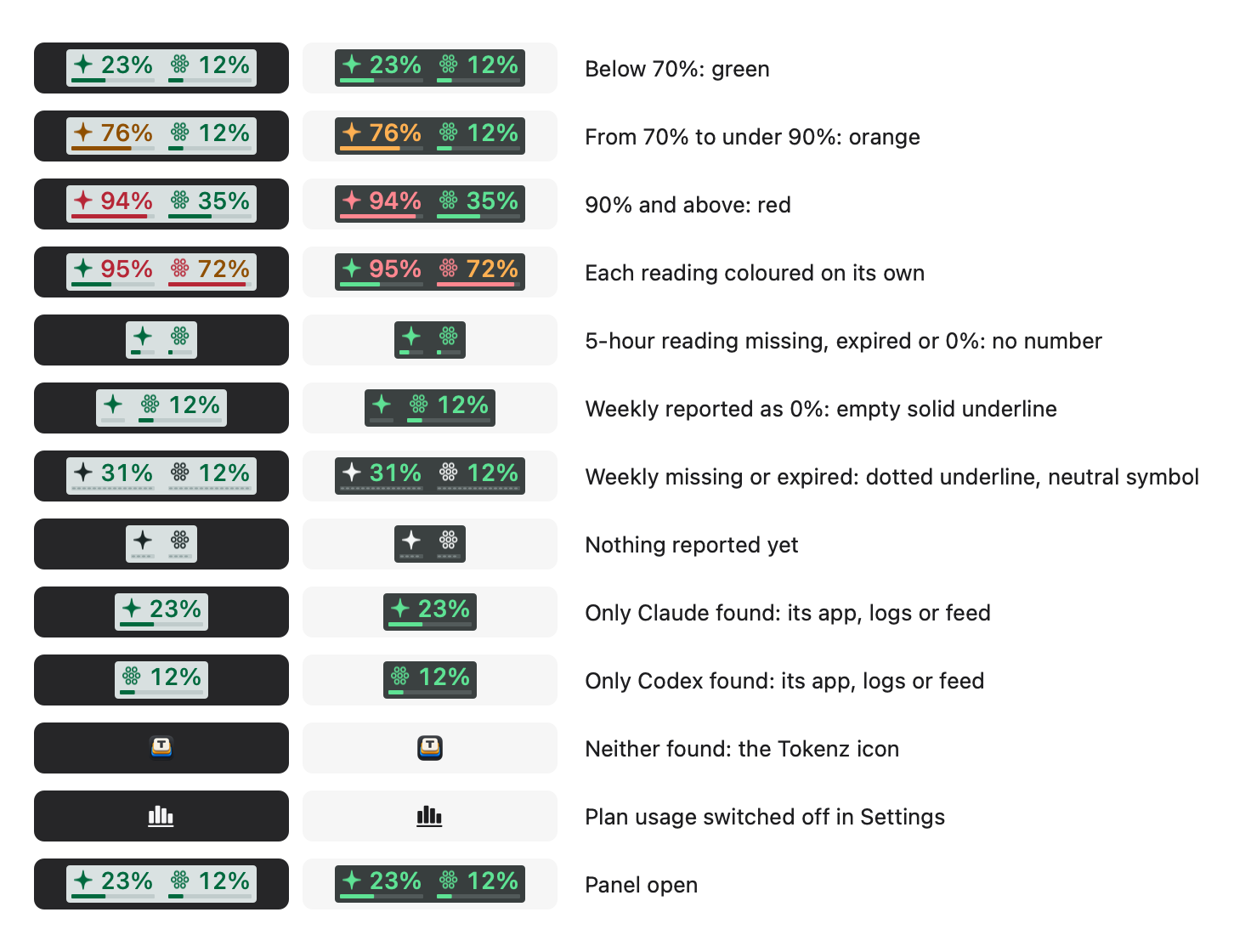
I’d have liked each tool’s own logo in the menu bar, but those logos belong to Anthropic and OpenAI and aren’t mine to use, so Tokenz uses two of Apple’s SF Symbols instead. Each tool gets a symbol, a sparkle for Claude on the left and a hexagon grid for Codex on the right. Beside each symbol is the 5-hour percentage, and under it a thin line fills with the week’s usage. Each reading is coloured on its own: green below 70%, orange from 70% to under 90% and red at 90% or above, with the symbol taking the colour of the weekly line. Hover for the exact percentages, when each window resets and when the reading was reported.
These are all thirteen states the item can draw, each in a dark menu bar and then a light one:
The colours really are independent: here Claude’s 5-hour window is nearly spent while its week is fine, and Codex is the other way round:

One rule runs through all of it: a missing reading is shown as missing, never as zero. When the 5-hour reading is absent or its reset time has passed, the number disappears and the item shrinks to fit rather than printing a 0% nobody reported. A missing weekly reading draws a dotted underline and turns the symbol neutral, a reported weekly zero draws an empty solid one, and neither period ever stands in for the other.

A tool appears in the menu bar when its desktop app is installed, Claude for Claude Code and ChatGPT or Codex for Codex, or when Tokenz finds its session logs or plan feed, so the command-line tool alone is enough. With neither found you get the Tokenz icon alone, and the panel and Settings stay available. If you’d rather not see plan usage at all, one setting turns the item into a plain chart symbol, and there’s no Dock icon either way.
The panel
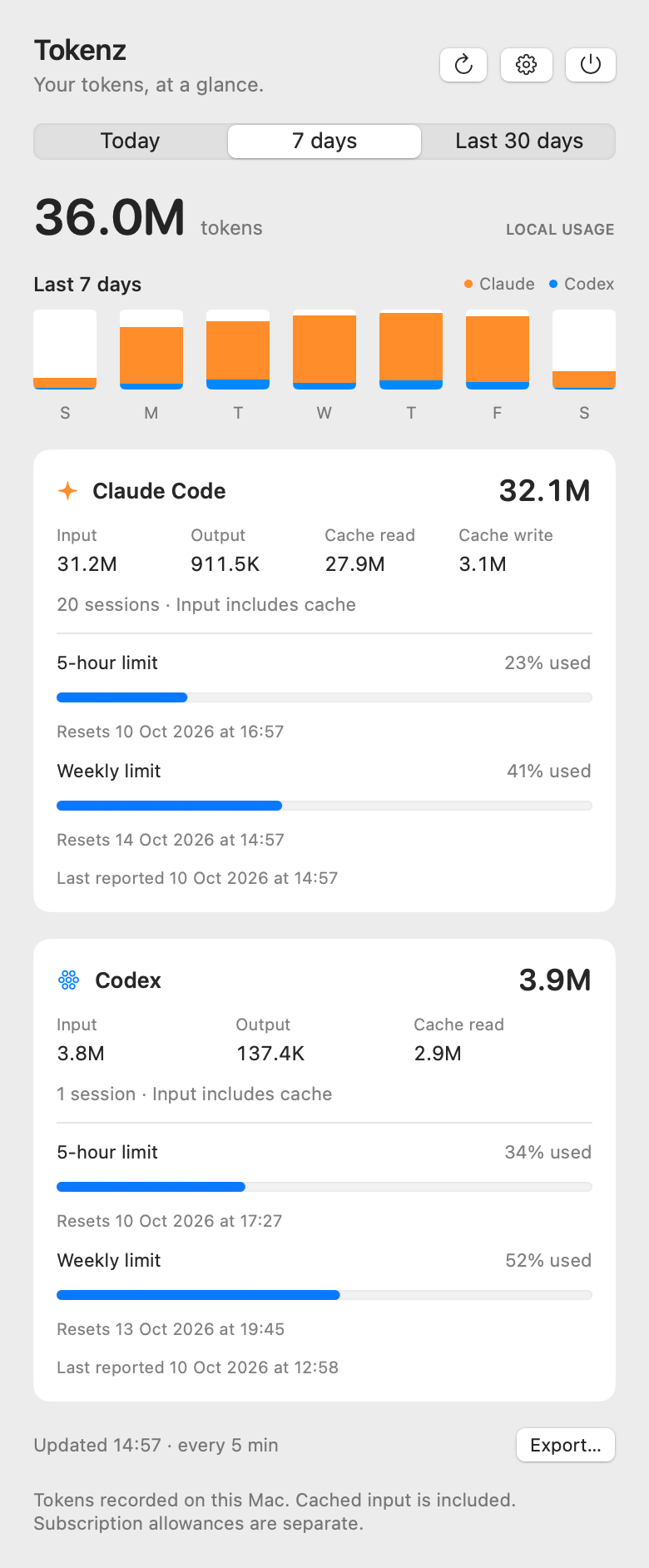
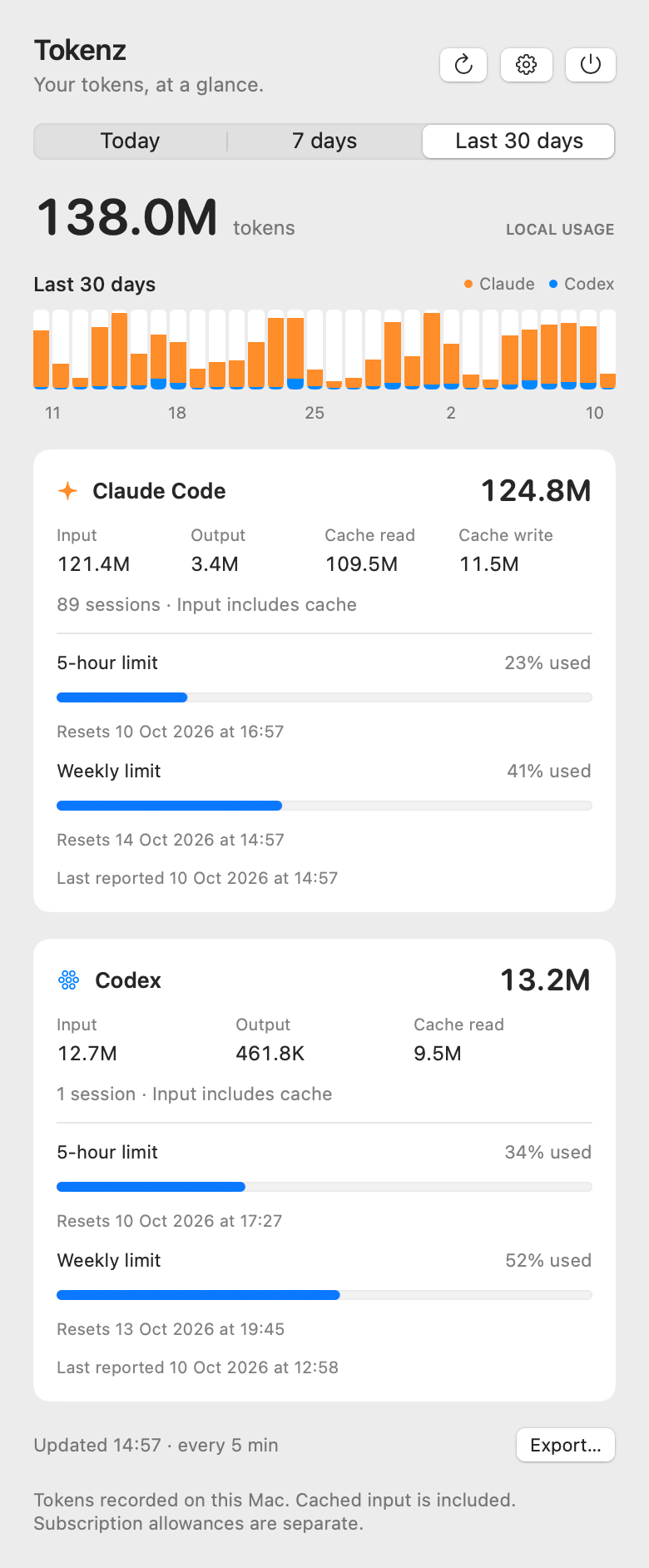
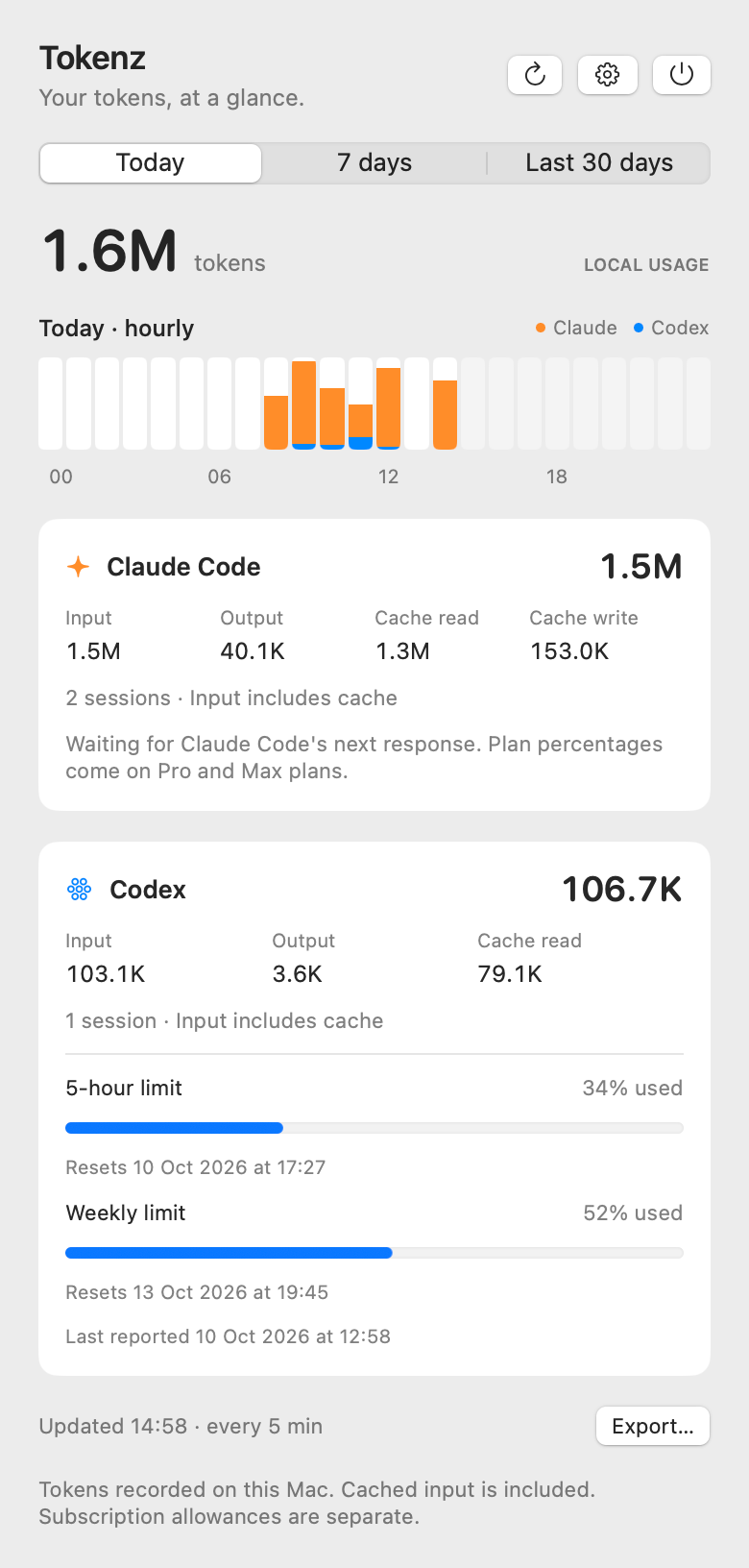
Click the item and the panel opens on today’s total, with Today, 7 days and Last 30 days above it. Today is the Mac’s calendar day, and the rolling views are today plus the previous 6 or 29 days. A bar chart follows the period you pick, hourly for today and daily otherwise, with each bar’s exact totals per tool on hover.
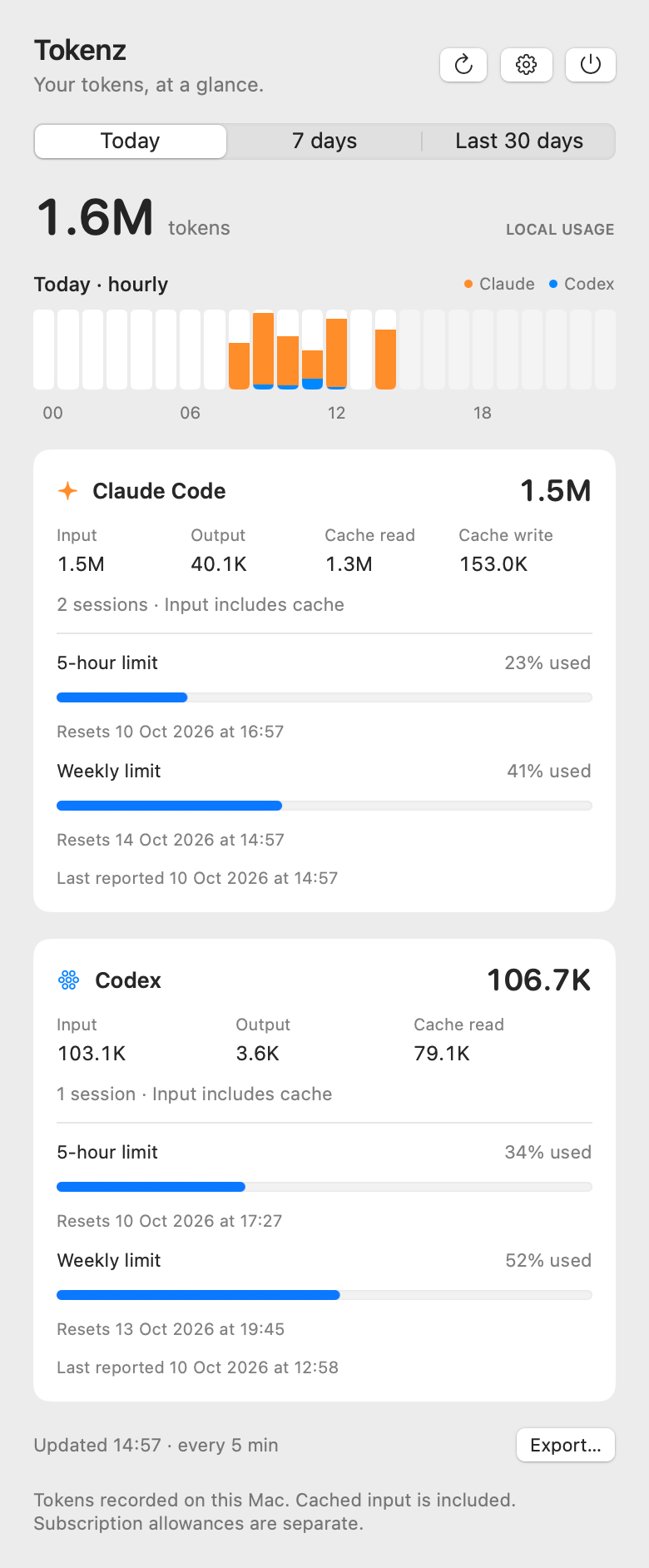
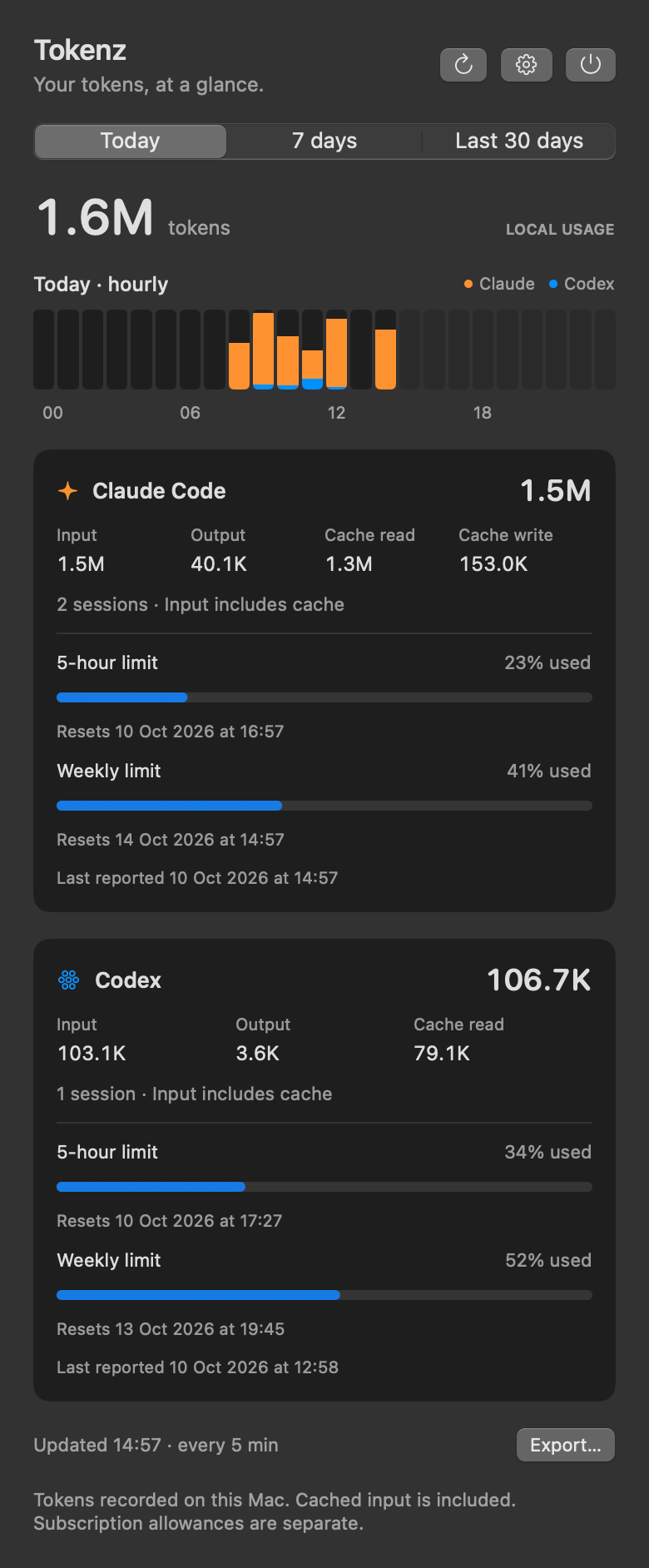
Below the chart, each tool’s card splits its total into input, output and cache, with the session count and the plan limits beside it. Export writes the daily totals for the last 30 days as CSV, and nothing else.
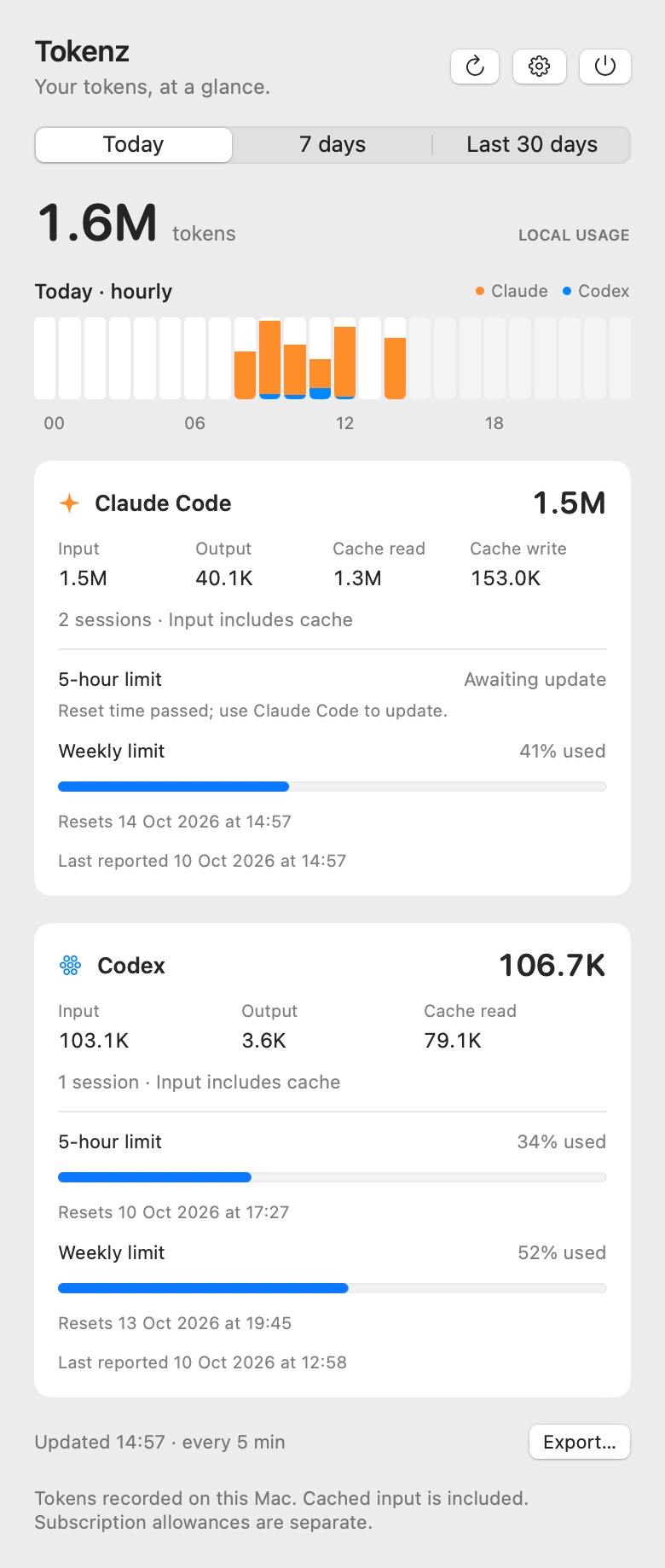
The panel keeps the missing-not-zero rule too. Once a window’s reset time has passed, its row says so instead of guessing a fresh number:
Where the numbers come from
Token totals come from ~/.claude/projects/**/*.jsonl and ~/.codex/sessions/**/*.jsonl, including agent sessions. Input counts cache reads and writes, Codex reasoning tokens are already part of output, and the total is input plus output. If you keep either tool’s configuration somewhere else, choose the folder in Settings.
Counting a log honestly is mostly about not counting it twice. Claude Code writes the same message once for each content block, and copied transcripts repeat it, so Tokenz keys every message by its message and request ids. Codex logs running totals, so Tokenz takes the difference between one and the next, and a resumed or forked log, which starts out carrying its parent’s history, has its first record counted as its latest turn rather than the whole inherited total.
These are locally observed totals, not a bill. Chats on claude.ai, sessions on other machines, cloud-only Codex sessions and logs either tool has already deleted are all outside them. Both log formats are the tools’ own implementation details and can change, and a record Tokenz doesn’t recognise is ignored rather than guessed at.
Plan percentages, and the Claude catch
The percentages are the providers’ own figures, separate from anything Tokenz counts. Codex reports its plan limits in its own session logs, so they need no setup.
Claude Code reports them only to a status line command, as a rate_limits object, so Claude needs a one-time step: a status line that saves that object to a file Tokenz reads. Until that file exists, the Claude card says so and offers to do it:
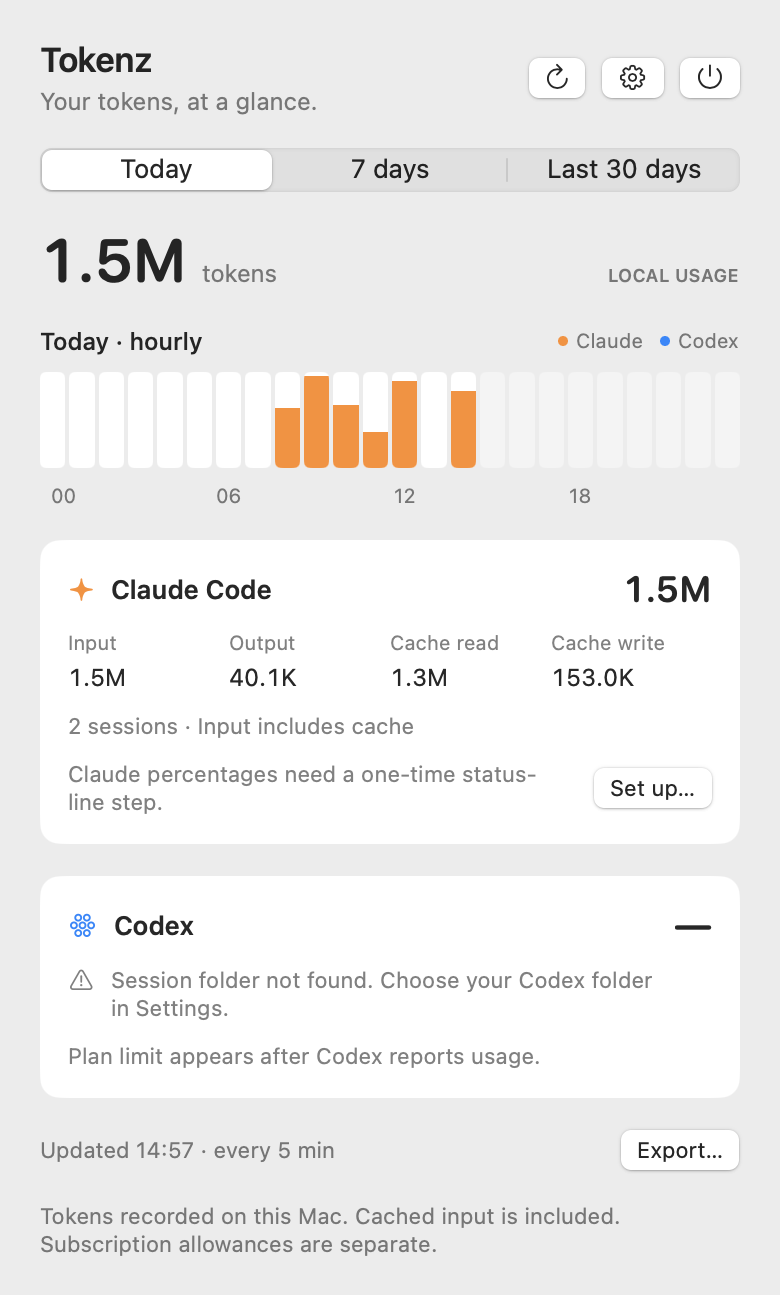
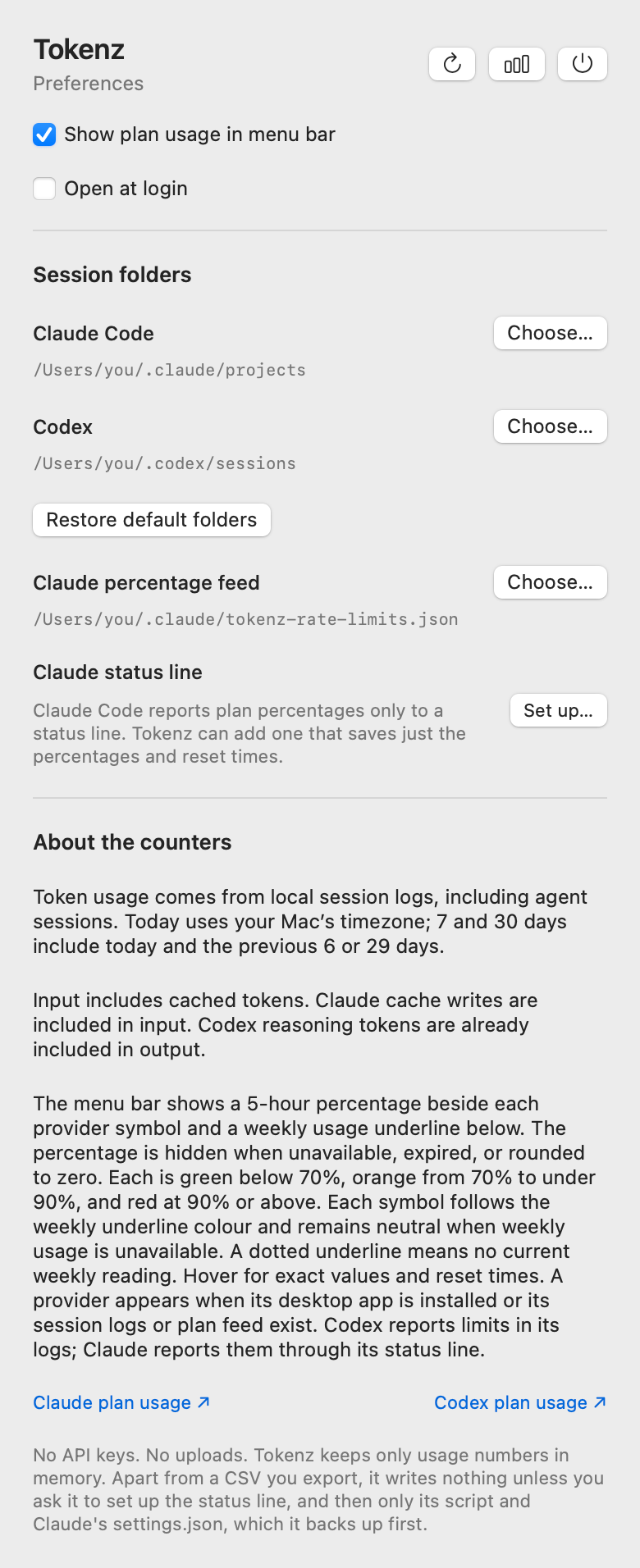
Choose Set up… there or under Claude status line in Settings. If you have no status line yet, Tokenz asks before making two changes: it adds tokenz-statusline.sh to ~/.claude/, and adds a statusLine entry to ~/.claude/settings.json after saving a copy as settings.json.tokenz-backup. The entry goes in without reformatting the rest of the file, and Remove… undoes both while keeping the backup and the saved percentages. Tokenz never replaces a status line you already have, and never changes a settings.json it can’t read.
If you already have a status line of your own, Settings shows the one line to add to your script, after it has read its input with input=$(cat), and Install script only… adds the script without touching settings.json. The line passes your status line’s input on:
printf '%s\n' "$input" | ~/.claude/tokenz-statusline.sh > /dev/null
You can also do the whole thing by hand: copy scripts/tokenz-statusline.sh to ~/.claude/, make it executable with chmod +x ~/.claude/tokenz-statusline.sh, and use it as your status line in ~/.claude/settings.json:
"statusLine": { "type": "command", "command": "~/.claude/tokenz-statusline.sh" }
However it gets there, the script saves only the percentages and reset times to ~/.claude/tokenz-rate-limits.json, readable by you alone, and writes it beside the target then renames it, so Tokenz never reads a half-written file. Nothing else from the status-line input is kept, no folders, transcript paths or costs, and when an update arrives without rate_limits the last good file stays as it was. That path is the default under Settings → Claude percentage feed; to use another file, set TOKENZ_FEED for the script and choose the same file there.
Even then, Claude Code sends rate_limits only on Pro and Max plans and only after a session’s first response, so a new feed can sit empty for a while. The card tells that case apart from the missing step rather than showing a zero:
What it doesn’t do
It sends no network requests, reads no authentication files and stores no conversation content. Besides the session logs and the feed it reads Claude’s settings.json, and apart from a CSV you export, it writes nothing unless you ask it to set up the status line, and then only its script and that settings.json, backed up first. Log lines without usage in them are skipped before they’re even decoded, only the numbers are kept from the rest, and those stay in memory. The two links at the bottom of Settings open the Claude and Codex plan usage pages in your browser, if you click them.
Under the hood
It’s a Swift package, SwiftUI and AppKit, with no third-party dependencies and no API keys, and the parsing and accounting live in a library of their own so they’re tested without any UI. The test script also fails if networking code ever appears in the source, which keeps the promise above from being one careless import away from broken.
Scanning is incremental: the first pass reads the files touched in the last 30 days, and after that each file is read from where the previous pass stopped, every five minutes and on wake, when the panel opens or when you press refresh. The whole app is under 1,500 lines of Swift with twenty-six tests.
Try it
brew install pardel/tap/tokenz
macOS 14 or later, on Apple silicon or Intel. Settings has Open at login, and macOS may ask you to approve it under System Settings → General → Login Items. Codex needs no setup, and Claude needs a one-time status-line step that the app offers to do for you.
This is 0.1.0, so it’s early. MIT licensed, at github.com/pardel/tokenz.
Tokenz is an independent project, not affiliated with or endorsed by Anthropic or OpenAI. Claude, Claude Code, ChatGPT and Codex are trademarks of their owners.
Every number Tokenz shows is either something a provider reported or something a log on your Mac recorded, and where it has neither, it leaves the space empty.