Published:
Tagged: Cloudflare TypeScript Self-Hosting Open-Source
Slink 1.0 - short links on your own domain
TLDR; Slink is a self-hosted link shortener with click analytics that runs on Cloudflare Workers and D1. Version 1.0 turns the bare domain into a page listing the links, adds a preview for any short link, and lets you pin or hide links from that page. MIT licensed.
In June I wanted to put a couple of links in my DevTalks talk: the slides and a Monday-morning checklist, the sort of thing you drop behind a QR code on screen. Bitly keeps a custom domain and proper analytics behind its Growth plan, $35 a month, which is a lot for a handful of links a year. So I built my own and open-sourced it.
It’s been running my links on h301.dev since. Today it’s 1.0.
A domain with nothing on it
Until now, visiting h301.dev on its own gave you a small card explaining what Slink is. Accurate, but not much use to anyone who’d typed the domain in.
A short link hides where it goes. That’s the whole point of it, and it’s also why people are careful clicking one. So in 1.0 the front page is the links themselves: the newest ones, who they belong to, when each was added, and where each one leads.
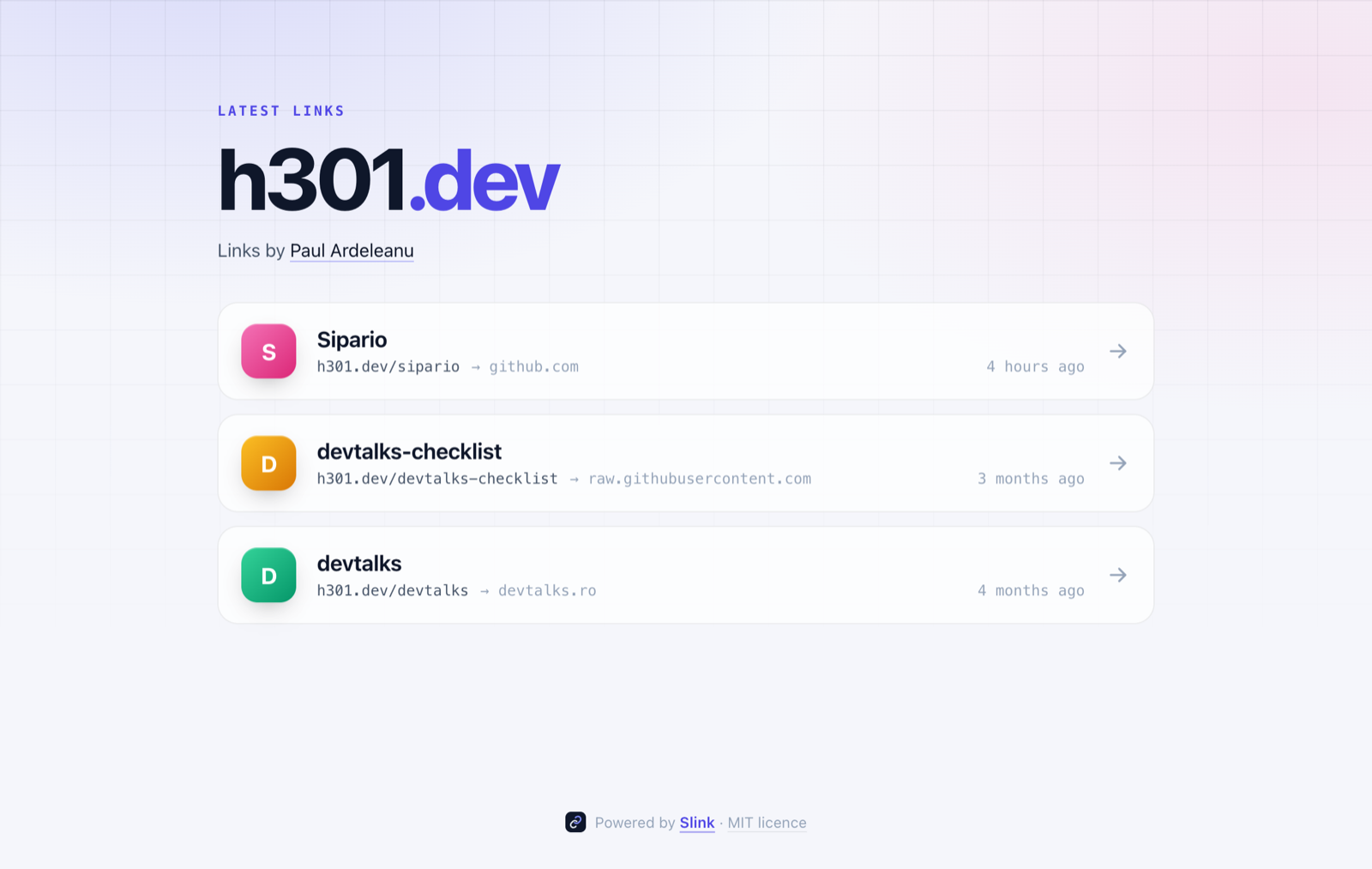
Hovering a card shows the full destination URL. The page is plain HTML and CSS with no JavaScript, and it follows your system’s light or dark setting.
You decide what goes on it. From the dashboard you can pin a link so it stays at the top, or hide it so it never appears there. A hidden link still redirects as normal: it’s off the list, not off the internet. The page shows 10 links by default, and one setting changes that.
Check a link before you follow it
Add + to the end of any short link and you get a preview instead of a redirect:
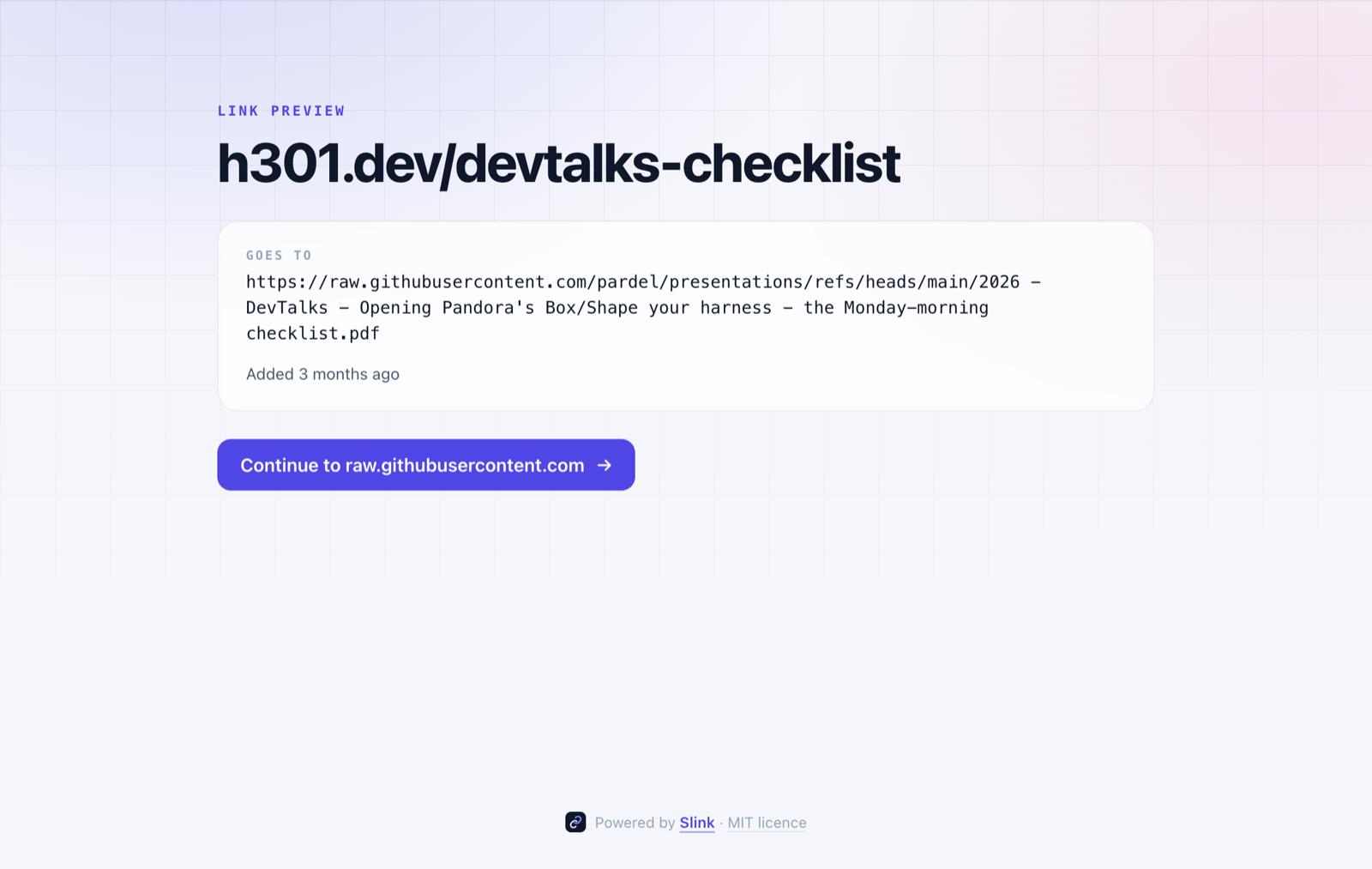
It shows where the link goes, its title and when it was added, and nothing is counted as a click until you press the button. It’s most useful when you meet a short link somewhere else, on a slide or in a post, and want to know what’s behind it first. That checklist link is a good example: a tidy h301.dev/devtalks-checklist in front of a very long GitHub URL.
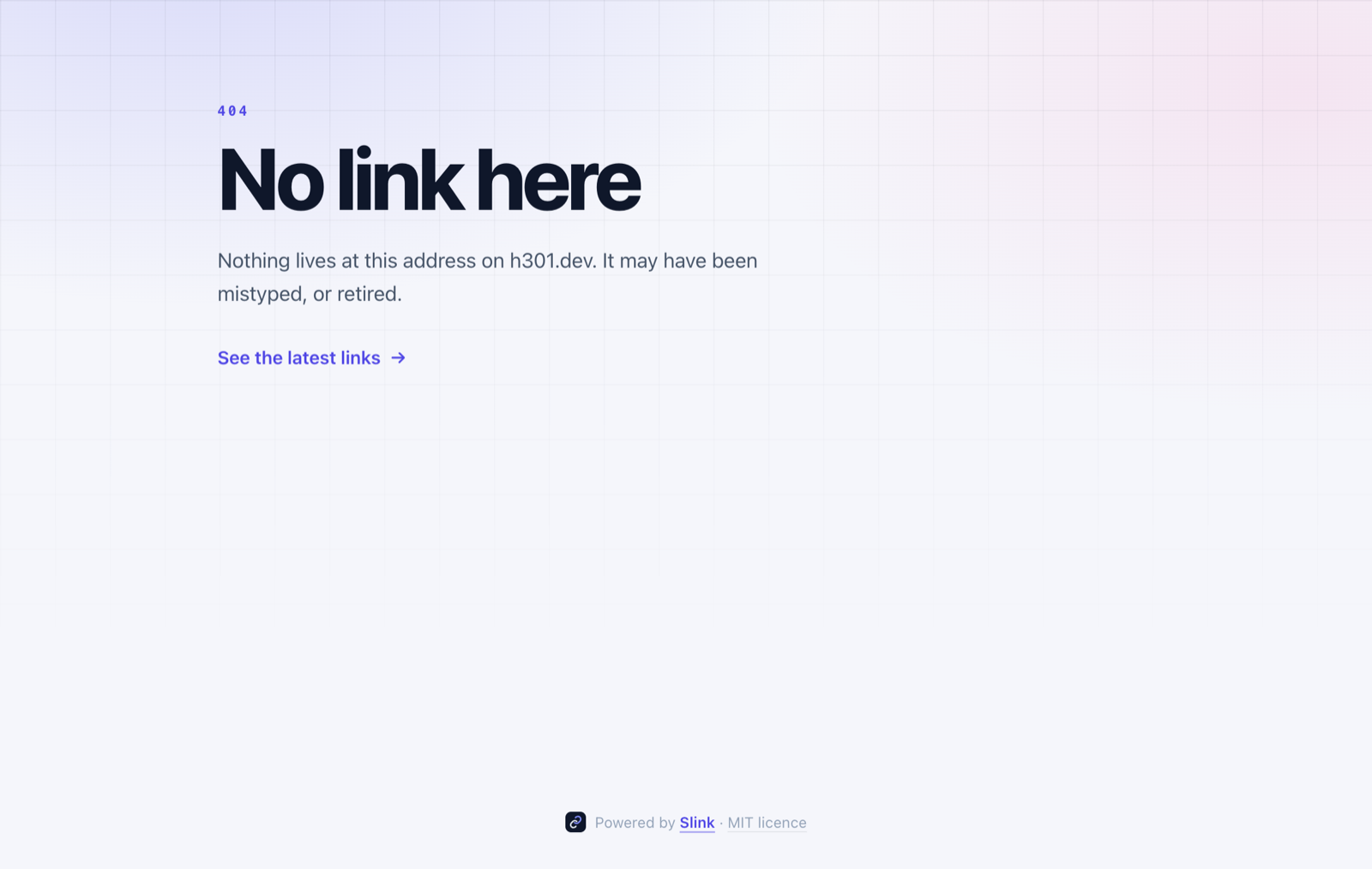
A link that doesn’t exist now gets a proper page too, rather than the front page with nothing on it:
The dashboard
The admin side hasn’t changed shape. It lives on its own host behind Cloudflare Access, where you create, edit and archive links, download a QR code for each, and read the analytics: clicks, unique visitors, countries, devices, browsers and referrers, over any time window.
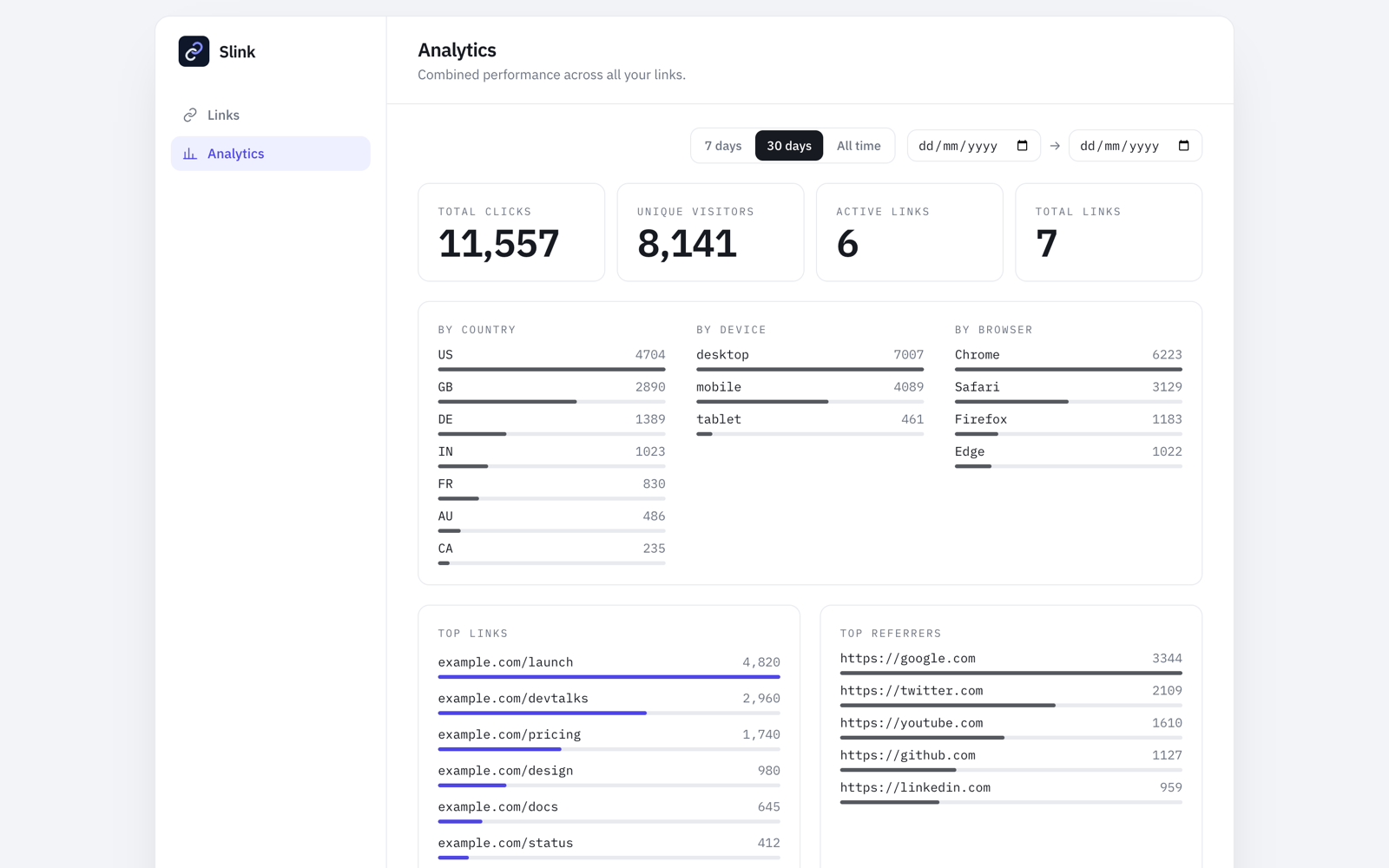
That screenshot uses demo data. My own numbers are a few talk links, which makes for a much emptier chart.
Privacy stays the default. Slink stores only the referrer’s origin, never the full URL, counts visitors with a hash salted per day rather than storing IP addresses, and deletes clicks older than 180 days.
Under the hood
One Cloudflare Worker serves both hosts: the public one only redirects and shows the pages above, and the admin one serves the dashboard and its API. Data lives in D1 through Drizzle, routing is Hono, and the dashboard is React 19 with Tailwind 4. Nothing loads from a third party. The fonts are self-hosted and QR codes are drawn in the browser, so the whole thing runs under a strict content security policy.
It runs on Cloudflare’s free tier, so hosting my links costs nothing a month.
Try it
git clone https://github.com/pardel/slink
cd slink && npm install
cp wrangler.jsonc.template wrangler.jsonc
Then follow the Deploy and Cloudflare Access sections of the README. You’ll need a Cloudflare account and a domain to put your links on.
Slink is MIT licensed, at github.com/pardel/slink, and the 1.0.0 release notes list everything in it.